A drafter often has to reconstruct which transcript, board pack, note, prior minute and report should be used.
Boardmate starts from the meeting list and source material, with source assumptions visible before review.


Workflow
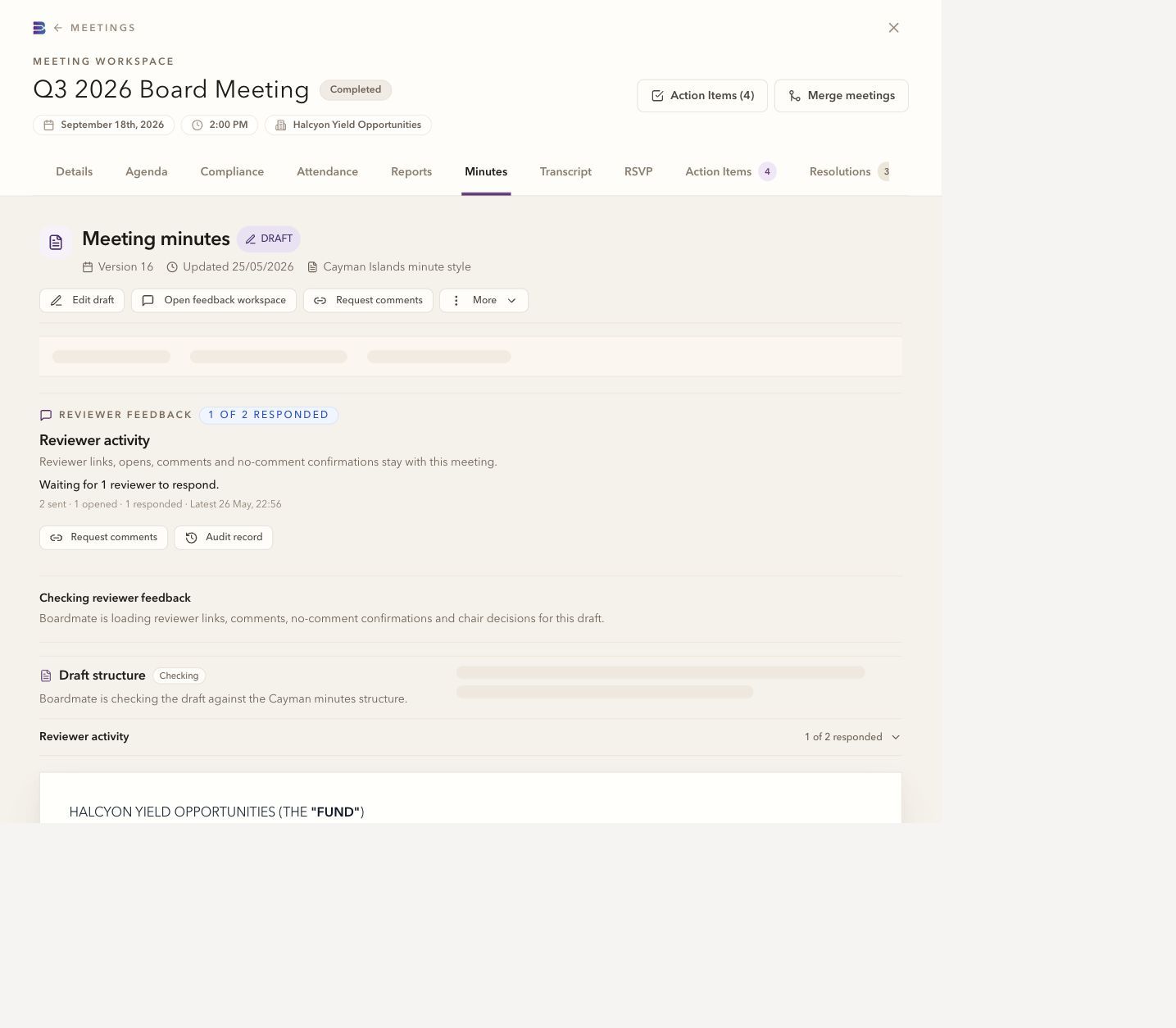
Boardmate makes the minutes lifecycle visible: source material, first draft, reviewer feedback, chair decisions, regenerated versions, DOCX, PDF, action items, and audit history.
CSV rows, packs, transcripts or recordings, support notes, reports, and meeting metadata.
Reviewer comments, uploads, no-comment confirmations, and outstanding responses remain visible.
The chair or delegated owner decides which feedback becomes source material for regeneration.
Source: CSV rows, packs, transcripts or recordings, support notes, reports, and meeting metadata.
Review: Reviewer comments, uploads, no-comment confirmations, and outstanding responses remain visible.
Decision: The chair or delegated owner decides which feedback becomes source material for regeneration.
Record: DOCX, PDF, actions, and audit history travel with the meeting as one explainable package.
A transcript or recording helps capture the discussion. Packs, agendas, previous minutes and written notes supply context. When no recording exists, the team can work from the available documents and notes, then review the draft carefully for gaps.
At portfolio scale, the drafting work and the workflow around it both matter: gathering source material, checking gaps, preparing formal minutes, routing review, deciding what changes, packaging the approval file, and carrying actions forward. Boardmate keeps that route visible from the meeting list, board packs, transcripts or recordings, support notes, prior minutes, action lists, and any separate reports through to approved minutes.
The manifest gives each meeting a date, entity, expected source set, and place in the backlog or live cycle.
Agenda, previous minutes, reports, resolutions, and supporting papers show what directors were asked to consider.
The discussion record helps Boardmate distinguish decisions, discussion, actions, and matters arising.
Approved examples carry house style, defined terms, recurring wording, and the organisation's normal level of detail.
Comments, supporting uploads, and no-comment confirmations are tracked beside the draft and available for chair control. Review is not a side process that has to be reconstructed from inboxes.
Every output package can point back to the sources, reviewer decisions, regeneration steps, action items, and final export. Board support gets the practical files it needs without losing the route that produced them.
The Word file remains useful for legal review, signatures, filing conventions, and final formatting.
A stable reading copy can be exported beside the working file.
Follow-up items can be extracted where the source material supports them.
Reviewer activity, accepted feedback, regeneration, exports, and downloads stay connected to the meeting.
Governance cycle
Source material becomes draft minutes, review history, chair decisions, exports, actions, and useful memory for the next meeting.
CSV, board packs, transcripts or recordings, support notes, separate reports, and reviewer details.
A formal house-style draft generated from the available source material.
Reviewer submissions, selected passages, uploads, and no-comment confirmations.
Accepted feedback and chair instructions shape the regenerated version.
Actions, audit history, approved wording, and continuity for future meetings.
Process comparison
The difference is easiest to see beside the current workflow: source material, review, regeneration, export, and the record that carries forward.
Source material is named, matched, and visible before drafting.
Records live in folders, inboxes, and local document versions.
Comments stay attached to passages and reviewers are tracked.
Feedback is reconciled from emails, markups, and meeting notes.
Accepted comments become controlled source material for the next draft.
The drafter manually decides which edits made it into the file.
Exports, actions, reviewer activity, and audit history travel together.
The final minutes and the review record can drift apart.
Common questions
No. Reviewer comments are review input. The chair or delegated board support user decides which feedback shapes the next draft.
Yes. A first evaluation usually works best with several ordinary meetings, one complex meeting, one short or adjourned meeting, and prior minutes that show house style.
Lite is the backlog-clearing workbench. Companion is the broader board cycle workspace for agendas, report requests, board packs, annual compliance tasks, actions, approvals, reminders, and governance memory.
 Boardmate