Work from historical material
Lite uses the transcripts, recordings, packs and notes you already hold. Its focus is drafting and reviewing minutes from that material. New meeting setup and connected live meetings belong to Companion.


Boardmate Lite
Upload the meeting list and source material. Lite matches files, drafts formal minutes, coordinates review, and keeps the record ready for approval.
Use a CSV manifest plus transcripts, recordings, board packs, notes, reports, and actions.
Check that reviewer comments and uploads are visible before the chair or delegated owner accepts them.
Open the DOCX, PDF, action output, and audit record as a practical approval package.
Input test: Use a CSV manifest plus transcripts, recordings, board packs, notes, reports, and actions.
Control test: Check that reviewer comments and uploads are visible before the chair or delegated owner accepts them.
Output test: Open the DOCX, PDF, action output, and audit record as a practical approval package.
First evaluation: Start with five to ten representative meetings, then review quality, time saved, house style, and audit clarity.
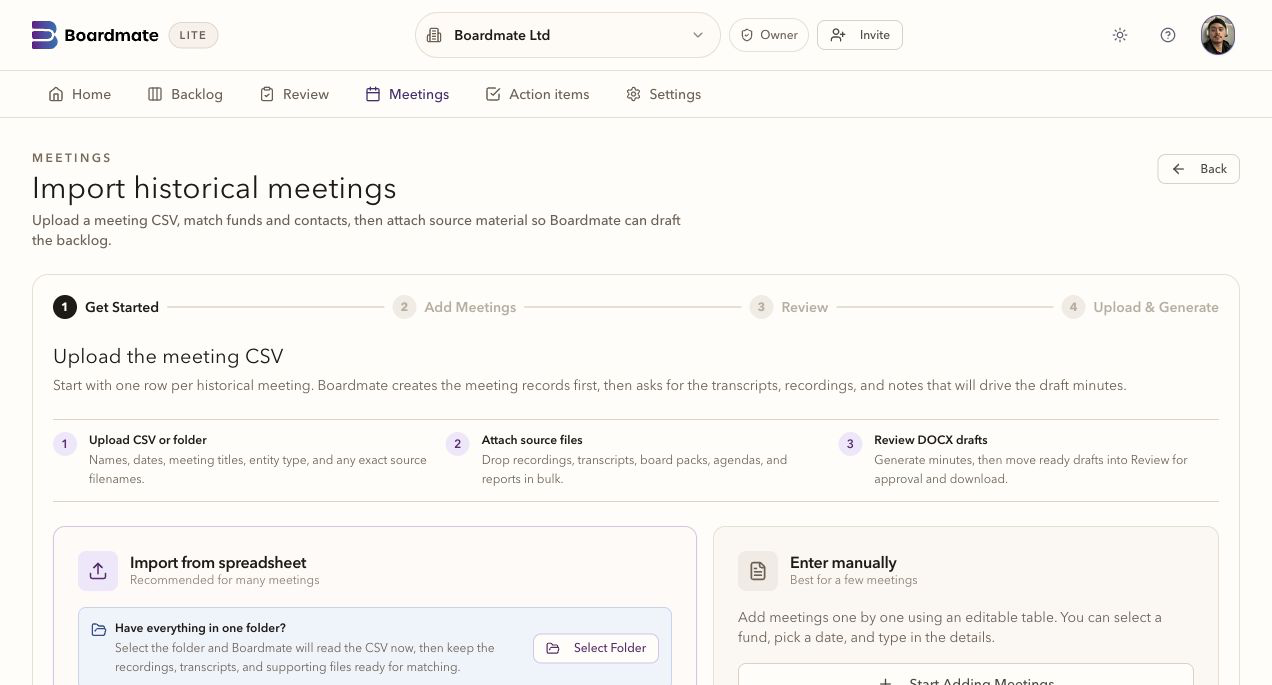
Lite uses the transcripts, recordings, packs and notes you already hold. Its focus is drafting and reviewing minutes from that material. New meeting setup and connected live meetings belong to Companion.
A few meetings can be managed by memory and inboxes. Hundreds of funds with annual, reporting, and special meetings need a pipeline: waiting, processing, in review, ready to export.
Private reviewer links gather comments, uploads, and no-comment confirmations. The chair or delegated user decides what becomes source material for regeneration.
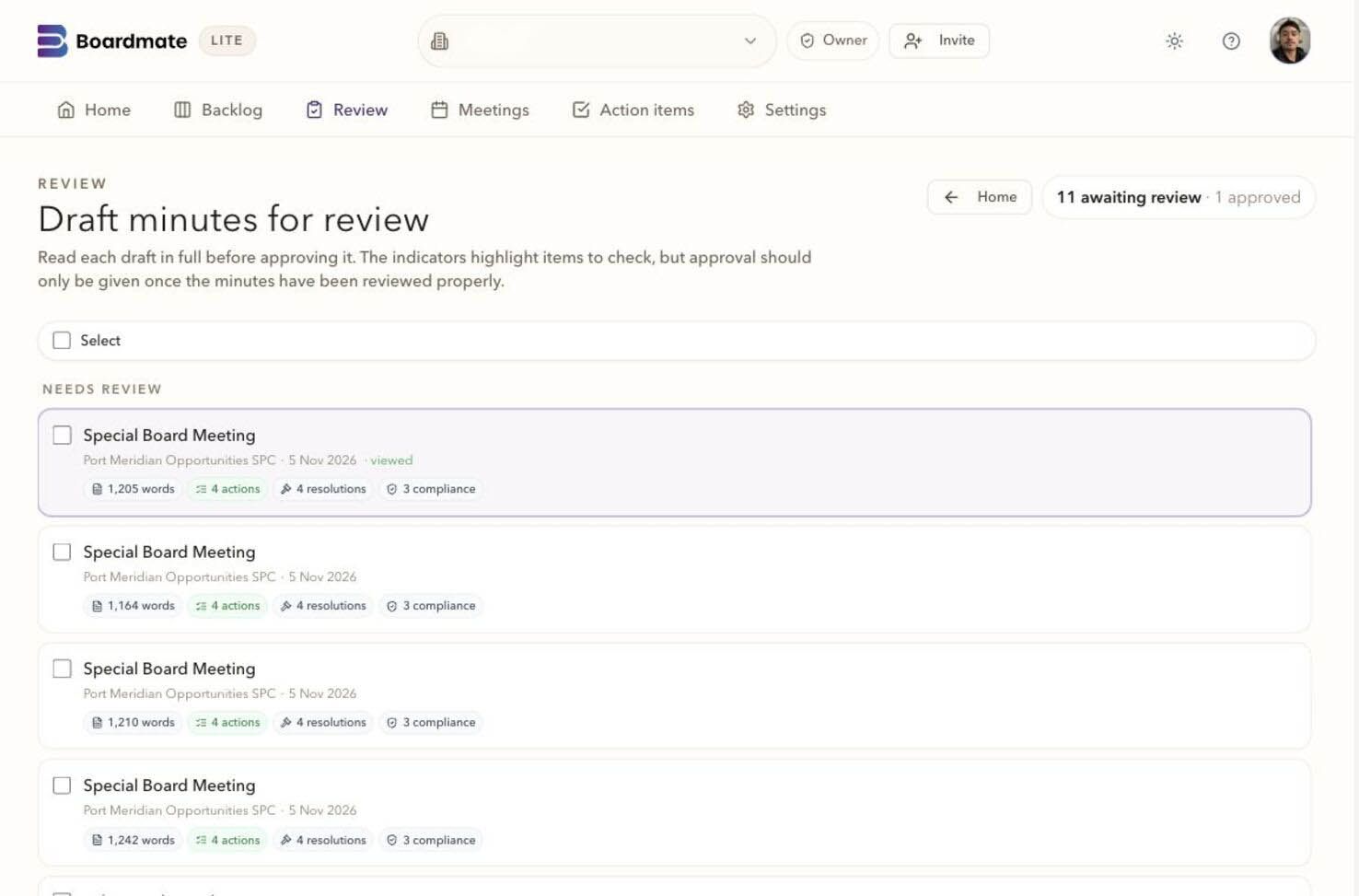
DOCX remains the working record for many board support teams. Lite also supports PDF, action extraction, and audit history so the approval package is clear.
If your team can clear a backlog at speed, with quality intact and fewer evening inbox reconciliations, the case for Companion is already visible. Companion carries the approved minutes, action items, and review history into the live board cycle.
Reviewer workspace
2. Prior minutes
The minutes of the meeting of the Board held on 17 June 2026 were tabled and reviewed. UPON MOTION DULY MADE, IT WAS RESOLVED that the minutes be approved subject to the agreed amendment.
The Board noted the continuing action on service provider reporting and requested that the updated timetable be circulated before the next meeting.
What you give it
A manifest and the source materials the board support team already holds.
What you get back
Common questions
No. Reviewer comments are review input. The chair or delegated board support user decides which feedback shapes the next draft.
Yes. A first evaluation usually works best with several ordinary meetings, one complex meeting, one short or adjourned meeting, and prior minutes that show house style.
Lite is the backlog-clearing workbench. Companion is the broader board cycle workspace for agendas, report requests, board packs, annual compliance tasks, actions, approvals, reminders, and governance memory.