Provider reports and late papers can be tracked through emails, spreadsheets and individual reminders.
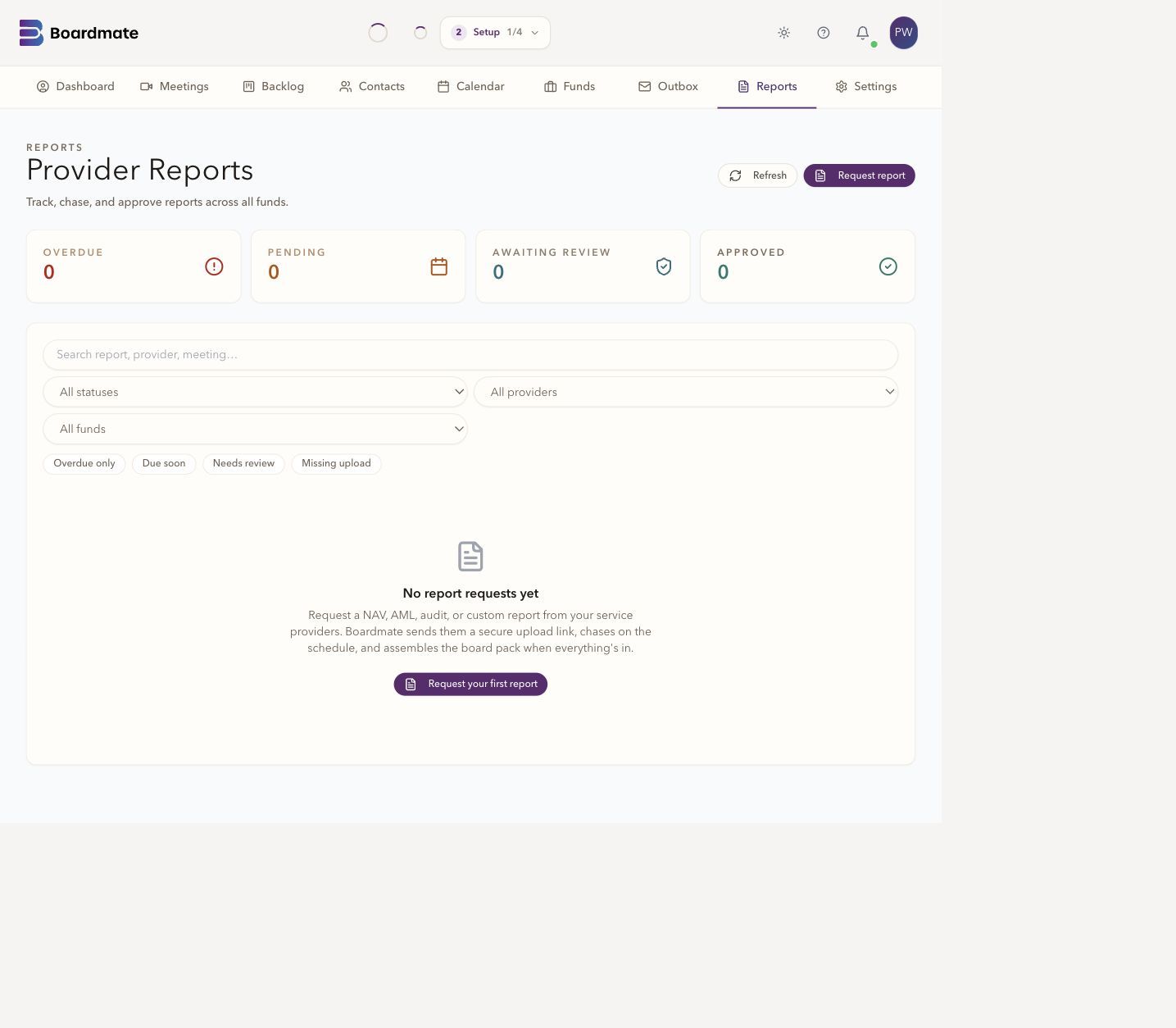
Report requests, upload status and overdue items can sit in the same workspace as the meeting.


Pre-Meeting
Request the material, choose the contents and review the combined PDF. Boardmate Companion keeps pack preparation and circulation alongside the meeting record.
Agenda items and expected decisions give structure before generation begins.
Select approved reports and accepted submissions, arrange the reading order and review the PDF.
Prepare recipients and the reviewed PDF in Outbox for approval before sending.
Agenda context: Agenda items and expected decisions give structure before generation begins.
Pack contents: Select approved reports and accepted submissions, arrange the reading order and review the PDF.
Circulation: Prepare recipients and the reviewed PDF in Outbox for approval before sending.
Boardmate Companion: Pre-meeting preparation connects with post-meeting minutes, actions, and approvals.
Start with approved reports and accepted collaborator submissions. Select what belongs in the pack, arrange the reading order and choose a cover, contents page, agenda, previous approved minutes and page numbering. Save your choices to return later, or create the PDF preview.
Choose meeting participants or add recipient addresses, then review the subject and message. Save the email to Outbox for approval. The reviewed PDF stays attached to that circulation, and the pack is recorded as circulated after sending succeeds.
Agenda items, previous minutes, reports, resolutions, and supporting papers can be tracked before attendees receive the pack. Companion treats board pack readiness as the beginning of minutes quality, not a separate administrative chore.
Standing items, expected approvals, annual obligations, and matters for discussion.
Provider requests, upload status, due dates, late papers, and missing inputs.
Matters arising, open actions, prior wording, and items needing follow-up.
Resolutions, appendices, policies, service provider reports, and revised versions.
Board support can see what is prepared, what is missing, and where attention is needed before the meeting. That matters when the same report requests and pack checks repeat across hundreds or thousands of funds.
Boardmate's minutes promise is strongest when the board pack, transcripts, support notes, and any separate reports remain connected. The draft can then reflect what directors were asked to consider as well as what was said.
Report requests, agenda context, and pack readiness shape the source set.
Transcript, pack material, and support notes explain discussion and decisions.
Approved minutes, actions, and follow-up can carry into the next cycle in Companion.
Common questions
No. Reviewer comments are review input. The chair or delegated board support user decides which feedback shapes the next draft.
Yes. A first evaluation usually works best with several ordinary meetings, one complex meeting, one short or adjourned meeting, and prior minutes that show house style.
Lite is the backlog-clearing workbench. Companion is the broader board cycle workspace for agendas, report requests, board packs, annual compliance tasks, actions, approvals, reminders, and governance memory.