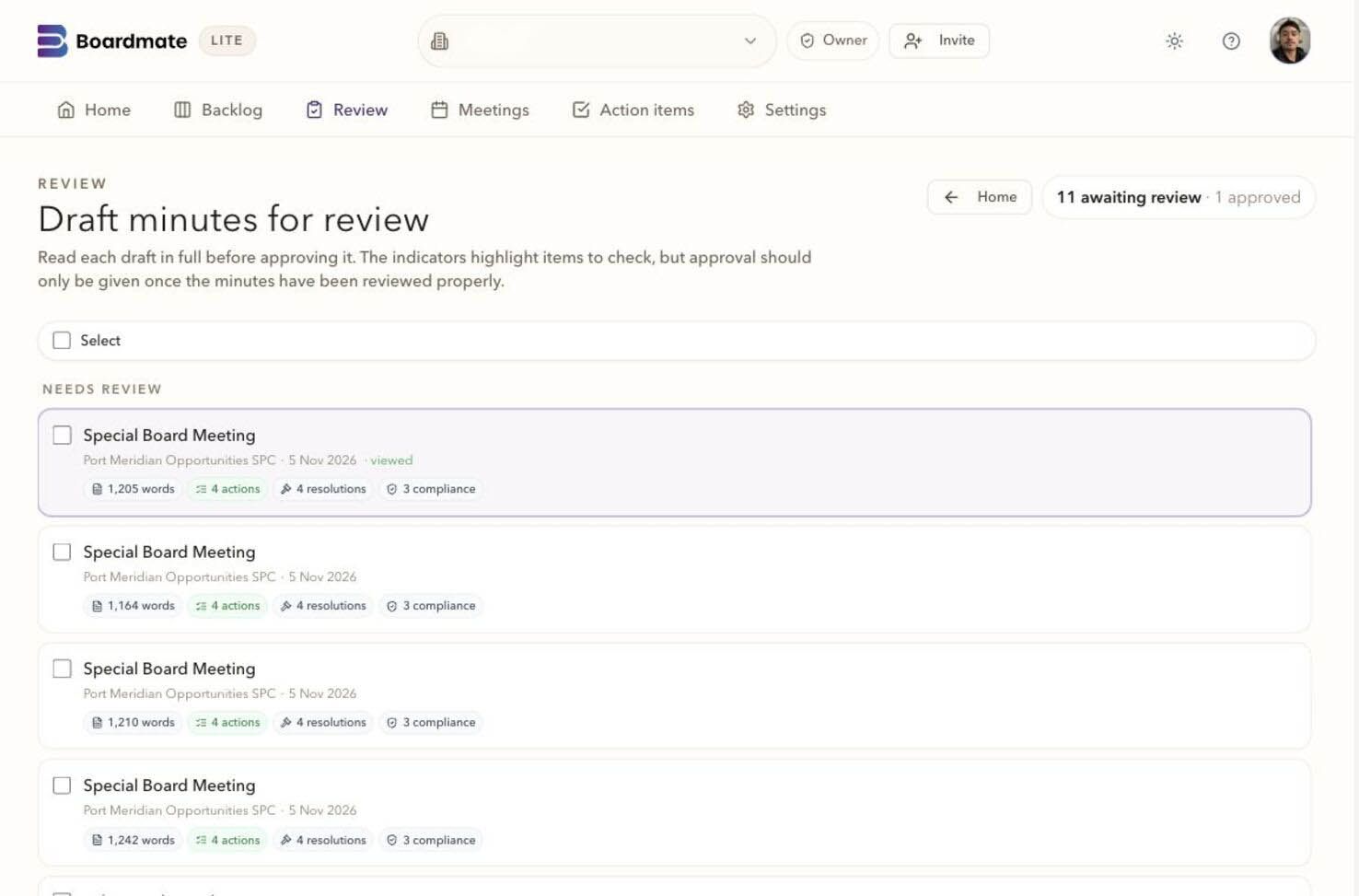
A practical guide for board support, chairs, attendees and service providers reviewing shared minutes through a collaborator workspace or private link.
A practical guide for board support, chairs, attendees and service providers reviewing shared minutes through a collaborator workspace or private link.
03Decision
Review works best as a decision workflow.
Boardmate guide
Reviewer feedback works best when it stays attached to the draft.
The guide explains how private links, selected passages, uploads, no-comment confirmations, and chair decisions work together.
Useful for
Share it with attendees, service providers, chairs, and board support before the first review round.
Use this when board support is preparing a review round with chairs, attendees, directors, lawyers, or service providers who need a simple way to comment without seeing each other's feedback.
01
Material to bring
The reviewer list, including role, company, expected contribution, and whether each person needs upload access.
The current draft version, because a selected-passage comment must remain tied to the wording under review.
A short instruction for reviewers that separates factual correction, context, sensitivity, and action ownership.
A chair decision owner who can accept, reject, hold, or add instructions before regeneration.
02
Boardmate checks
Does the reviewer know which meeting, fund or entity, draft version, and requested action they are dealing with?
Can a selected passage stay highlighted with enough surrounding context for moderation?
Can board support see opens, comments, uploads, no-comment confirmations, and outstanding reviewers without inbox reconstruction?
Does accepted feedback become visible source material for regeneration while rejected or held feedback remains explainable?
03
Red flags
The review link feels like a generic form and does not make the document, meeting, confidentiality position, or next action clear.
Comments arrive detached from wording, forcing board support back into memory and manual comparison.
No-comment confirmations are missing, so silence can be mistaken for review.
A comment is accepted, regenerated, and then nobody can explain which version consumed it.
Result of the exercise
Reviewer status
Opened, commented, uploaded support, confirmed no comments, outstanding, or revoked.
Decision set
Accepted, rejected, held, and chair-instructed feedback before regeneration.
Version record
Which draft was reviewed, which comments shaped the next version, and what remains unresolved.
Boardmate view
A draft-minute review can fall apart even when the first draft is strong. Comments arrive in email replies, Word markups, calls, side notes, and late uploads. Some reviewers rewrite style. Some correct facts. Some say nothing, and silence then has to be interpreted.
Boardmate's reviewer experience should make the job clearer. A reviewer reads the relevant draft, comments on selected passages, uploads support where needed, or confirms no comments. Board support sees activity. The chair or delegate decides which feedback becomes source material for regeneration.
For recurring work, invited collaborators can return to a workspace containing their shared meetings and requests. They read the published draft and send feedback against that version. A private link remains useful for a focused review. Clients and contributors review, give feedback and contribute to upcoming meetings at no extra charge.
Worked examples, checklists and planning tools
Review detail
The review round creates decisions, not a pile of markups.
Draft-minute review often fails in the space between a good draft and a controlled next version. Feedback arrives by reply, markup, call, forwarded note, and late support document. Some comments are review input, some are preference, and some need chair authority.
Boardmate's review workflow makes those states visible. Reviewers comment on selected passages, upload support, or confirm no comments. Board support triages the set. The chair or delegate decides which feedback becomes source material for regeneration.
Role
Each reviewer needs a narrow job.
An attendee, administrator, lawyer, and chair are not asked to perform the same vague review. Their invitation names the check expected.
Passage
Comments stay attached to wording.
Selected-passage feedback reduces interpretation work and helps the chair distinguish fact, style, sensitivity, and record.
Decision
Regeneration consumes an accepted set.
The next version is based on accepted comments and chair instructions, with held or rejected items still visible.
How to run it
Run the review like a decision queue.
The workflow creates cleaner review input for the next draft and a better record of how approval was reached.
01
Issue role-specific invitations.
Tell each reviewer the meeting, draft version, deadline, expected contribution, and whether uploads or no-comment confirmation are expected.
Reviewer role
Draft version
Deadline
02
Ask for issue type and record.
A useful comment says what is wrong, why it matters, and whether supporting material exists. This gives triage something concrete to work with.
Issue type
Support upload
Blocking question
03
Track silence deliberately.
No response, link opened, comment submitted, and no comments confirmed are different states. The review record treats them differently.
Open activity
No-comment confirmation
Outstanding reviewers
04
Prepare the chair decision set.
Group duplicate points, conflicts, style preferences, factual corrections, and legal sensitivities before asking for the regeneration basis.
Duplicate points
Conflicts
Held items
05
Close the loop after export.
The final record shows who reviewed, what changed, what was held, which draft was regenerated, and which files left the system.
Decision history
Version history
Export record
Worked scenario
A review round with conflicting comments.
A director corrects an action responsibility. The administrator uploads a late report clarification. Legal marks a sensitive passage. Another reviewer asks for a broader rewrite that would overstate discussion. Board support groups the comments and asks the chair to decide the regeneration set.
The chair accepts the action correction, accepts the report clarification, holds the legal passage for a short call, and rejects the broad rewrite. The record now explains the next draft without relying on a chain of emails.
Factual
Action responsibility correction accepted.
Record
Late report clarification uploaded and accepted.
Sensitive
Legal passage held for chair discussion.
Preference
Broad rewrite rejected as inconsistent with style.
A good result
Clarity
Reviewers know what to check and how to respond.
Attribution
Comments, uploads, opens, and confirmations are tied to the review history.
Authority
The chair or delegate controls what changes the next draft.
Record
The exported minutes can be read beside the review history.
Boardmate review
Use this guide to run a review round where feedback becomes clean regeneration input.
Private links
Each reviewer receives narrow access to the relevant draft, with activity visible to the authorised team.
Selected passages
Comments stay attached to the wording they challenge, so reconciliation does not depend on inbox interpretation.
Decision types
Reviewer comments, chair instructions, and structure decisions are counted separately when the next version is generated.
No-comment confirmation
Silence is not guessed. A reviewer can confirm no comments and that response remains part of the review history.
Worked example
Example controlled review round.
A board support lead sends private links to two attendees, the chair, an administrator contact, and a legal reviewer. The attendees check attendance and actions. The administrator checks report wording and uploads a late clarification. The legal reviewer marks one sensitive passage. The chair accepts two factual corrections, holds the sensitive wording for discussion, and rejects a broad rewrite that conflicts with house style.
The point of the review workflow is not to make every comment automatic. The product value appears when Boardmate shows what arrived, what was accepted, what was held, what was rejected, and which version consumed the accepted inputs.
Reviewer comment
Correction, clarification, or supporting material submitted through the review workflow.
Chair instruction
Authorised direction that can shape the next draft even without attendee comments.
Structure decision
A judgement on whether a draft section, expected paper, or resolution placement should be treated a particular way.
Decision ledger
StageTeam questionBoardmate recordDecision
Invite
Does each reviewer know what they are being asked to check?
Reviewer role, draft version, private link, deadline, and allowed actions.
Issue links only when the review task is narrow enough to complete.
Respond
Is feedback attached to record?
Selected-passage comments, uploads, issue types, and no-comment confirmations.
Ask for support where a comment changes substance or creates legal sensitivity.
Triage
Which feedback needs chair authority?
Open comments, duplicate points, conflicts, outstanding reviewers, and held items.
Group and prepare the decision set before regeneration.
Regenerate
Can the next version explain its inputs?
Version provenance, accepted reviewer comments, chair instructions, and structure decisions.
Generate only when the accepted input set is clear enough to defend.
Watch points
Open-ended invitation If reviewers are asked for anything at all, they often send style rewrites instead of record.
Invisible silence No response and no comments are different states; the workflow should not confuse them.
Automatic consumption A comment should not change formal minutes until the chair or delegate accepts it.
Boardroom wording
To reviewers Please comment on the passage, upload support if needed, or confirm no comments.
To the chair Your decision set controls the next draft.
To board support The close-out should show who responded, what changed, and which version consumed the accepted input.
Boardmate toolkit
Run review as a moderated review workflow.
The review guide makes the difference between feedback and decision clear. Boardmate collects reviewer record, but the chair or delegate decides which input changes the formal record.
Briefing note
A reviewer invitation is strong when the task is narrow.
Reviewers respond better when they know exactly what to check. An attendee may verify attendance and their own contribution. A service provider may check report wording. Legal may mark a sensitive passage. The chair owns the accepted set.
Identify sensitivity, privilege, legal wording, or over-recording without redrafting the whole minute.
Marked passage, reason, and recommended controlled wording. Chair or delegate
Accept, reject, or hold comments before regeneration.
Decision queue, accepted set, held issues, and version history.
Decision route
Loose
Reviewers send replies, tracked changes, calls, and side notes with no common view of the round.
Do not regenerate until feedback is triaged. Organised
Most comments arrive through private links and are attached to passages.
Group duplicates and conflicts for chair review. Controlled
The chair can see responses, uploads, no-comment confirmations, and pending issues.
Regenerate from the accepted set. Auditable
The exported minutes can be read beside who reviewed, what changed, and what was held.
Use the workflow as the review standard for the next batch.
Record note
Review round close-out
A good close-out does not say only that review is done. It explains how the next version was reached.
Responded
Chair, administrator, legal, and two attendees responded; one attendee confirmed no comments.
Accepted
Action responsibility correction, report clarification, and one factual attendance correction.
Held
Sensitive discussion wording for chair and legal agreement.
Rejected
Broad rewrite that conflicted with approved house style.
Avoid
Vague ask Please review invites broad rewriting rather than focused record.
Silent approval No response is not the same as reviewed, no comments.
Automatic edits Reviewer comments become minutes only after the authorised person accepts them.
Lost support A correction without its source may be hard to defend later.
Reviewer brief
Tell each reviewer what kind of contribution is wanted.
A director, attendee, service provider, lawyer, and chair may all read the same draft for different reasons. The review invitation should make that difference clear. An attendee might check factual accuracy and actions. A service provider might check report-specific wording. A lawyer might focus on sensitivity and legal restraint. A chair might decide the basis for the next version.
The simpler the task, the better the response. Ask reviewers to identify factual corrections, missing context, sensitive wording, or action responsibility. Discourage broad rewriting unless the reviewer has explicit authority over style.
Good reviewer instructions include
Which meeting, entity, draft version, and review deadline apply.
Whether comments, uploads, or no-comment confirmation are expected.
What type of issues the reviewer should focus on.
Who decides whether feedback changes the next draft.
Reviewer role map
Attendee
Checks facts, presence, discussion, actions, and missing context.
Service provider
Checks technical wording, report references, and support record.
Chair
Accepts, rejects, holds, or instructs feedback before regeneration.
Passage record
Keep comments attached to the wording they challenge.
A loose comment creates reconciliation work because the drafter must infer which words it affects. Selected-passage comments make the record smaller and more precise. They also help the chair see whether a comment is a factual correction, a style preference, a legal concern, or a request to add context.
The best reviewer comments say what is wrong, why it matters, and what supports the change. If an upload is needed, it should be attached to the issue rather than sent separately. If the reviewer has no comments, that should be captured as an explicit status.
A useful comment should state
The issue type: factual, style, legal, sensitive, action, or context.
The requested change or the source material that contradicts the passage.
Whether the point blocks approval or can be held for later.
Whether supporting material has been uploaded.
Comment state
Open
Received and visible to board support for triage.
Accepted
Approved as source material for regeneration.
Held
Needs chair, legal, or service provider clarification.
Moderation
Give board support a triage step before the chair decision.
Board support often knows which comments are easy corrections and which ones need authority. A triage step lets the team group duplicate points, identify conflicts, spot late support material, and prepare the chair's decision. This keeps the review round orderly without removing the chair's control.
The review queue should show opens, comments, uploads, no-comment confirmations, outstanding reviewers, and revoked links. That visibility replaces the manual chase list that normally lives in email, memory, or a separate spreadsheet.
Triage should identify
Factual corrections that can be accepted cleanly.
Conflicting comments from different reviewers.
Style preferences that should not become product instructions.
Outstanding reviewers whose input matters for approval.
Decision and audit
Regenerate from a decision set that can be explained later.
The next draft should be based on accepted feedback and chair instructions. Rejected comments should not disappear into silence. Held comments should remain visible with a reason. This is how the team can explain why a passage changed, why a suggestion was not used, and which draft consumed which feedback.
At close-out, the review history becomes part of the approval record. Links issued, opens, comments, uploads, confirmations, decisions, regeneration, DOCX export, PDF export, actions, and audit history should sit beside the final minutes rather than scatter across systems.
Decision note
Reviewer status for every invited person.
Accepted, rejected, and held feedback before regeneration.
The draft version reviewed and the version exported.
Audit trail that can survive beyond the inbox.
Questions to settle
What exactly is each reviewer being asked to check?
Which comments are review input and which are personal style preference?
Who decides whether a comment changes the minutes?
How will silence be recorded without guessing?
Can the final record explain which draft consumed which feedback?
Carry forward
Team record
Reviewer role map, link activity, passage comments, uploads, no-comment confirmations, and decision history.
Next action
Run one real review round and compare reconciliation effort against the current email process.
Responsible team
Board support triages, chair or delegate decides, reviewers supply focused record.
A review round works better when reviewers know exactly what is being asked of them. They should read the draft, comment on specific passages where needed, upload support if requested, or confirm they have no comments.
Keep the review task narrow: factual correction, missing context, sensitive wording, action ownership, or confirmation.
Avoid asking every reviewer to rewrite the whole minute.
Use recipient-specific review links where possible so activity and comments are attributable.
Give the chair or board support lead a separate decision role.
Attendee
Checks factual accuracy, attendance, discussion points, and any action attributed to them.
Service provider
Checks technical or report-specific wording and may upload supporting material.
Chair
Decides what feedback should shape the next draft.
Passage comments
Comment where the draft needs attention.
Selected-passage comments are more useful than loose emails because they keep the feedback attached to the text being discussed. That makes moderation and regeneration less dependent on memory.
Select the smallest passage that needs a comment.
Say whether the issue is factual, stylistic, legal, sensitive, or action-related.
Upload supporting material only when it genuinely helps explain the requested change.
Use no-comment confirmation when the reviewer has read the draft and has nothing to add.
Board support
Triage comments before they reach the chair decision.
Board support should be able to see which comments are factual corrections, which are style preferences, which conflict with each other, and which need chair judgement. The review queue should make that work easier to perform.
Factual
Names, dates, attendance, apologies, resolutions, figures, or report references.
Judgement
How much discussion to record, whether a concern is material, or how sensitive language should be expressed.
Conflict
Two reviewers disagree, a comment contradicts the pack, or a late update changes the source position.
No action
The reviewer confirms no comments or the comment does not affect the formal record.
Chair control
Accepted feedback becomes source material for regeneration.
The decision point stays visible. Reviewer comments are not the final authority by themselves. The chair or delegated owner decides which comments are accepted and which instructions should shape the next draft.
Accept changes that correct the record or improve formal wording.
Reject comments that conflict with the board's decision, overstate discussion, or introduce unapproved wording.
Hold comments that require legal, chair, or service provider clarification.
Regenerate only from the accepted decision set so the next draft has a clear basis.
Audit trail
Reviewer activity is part of the approval record.
For formal minutes, review record matters. The team should be able to answer who received a link, who opened it, who commented, who confirmed no comments, what was accepted, and what was exported.
Access
Links issued, expiry, revocation, and permitted review actions.
Activity
Open events, comments, uploads, confirmations, and outstanding reviewers.
Decision
Accepted, rejected, held, and chair-instructed feedback before regeneration.
Output
DOCX, PDF, actions, and audit history kept beside the final minutes.
Working norm
Close the review round deliberately.
A review process feels mature when it has a clear ending. Before export, board support should know which reviewers have responded, which comments remain open, and whether the chair has approved the basis for the next version.
Chase only the reviewers whose input matters for approval.
Record why any outstanding comment did not block export.
Confirm whether the next version is for chair review, board circulation, or final approval.
Keep the review history available after the DOCX and PDF are created.
Common questions
Reviewer questions before circulation.
Do reviewers edit the minutes directly?
No. Reviewers comment on the draft, upload support where needed, or confirm no comments. Board support and the chair decide what shapes the next version.
Can reviewers respond without becoming full users?
Yes. Private review links support a focused draft review. For recurring work, an invited collaborator can sign in to a workspace containing only the meetings and requests shared with them.
Why record no-comment confirmations?
A no-comment confirmation closes the loop. It shows that the reviewer had the chance to respond and did not leave outstanding changes.